
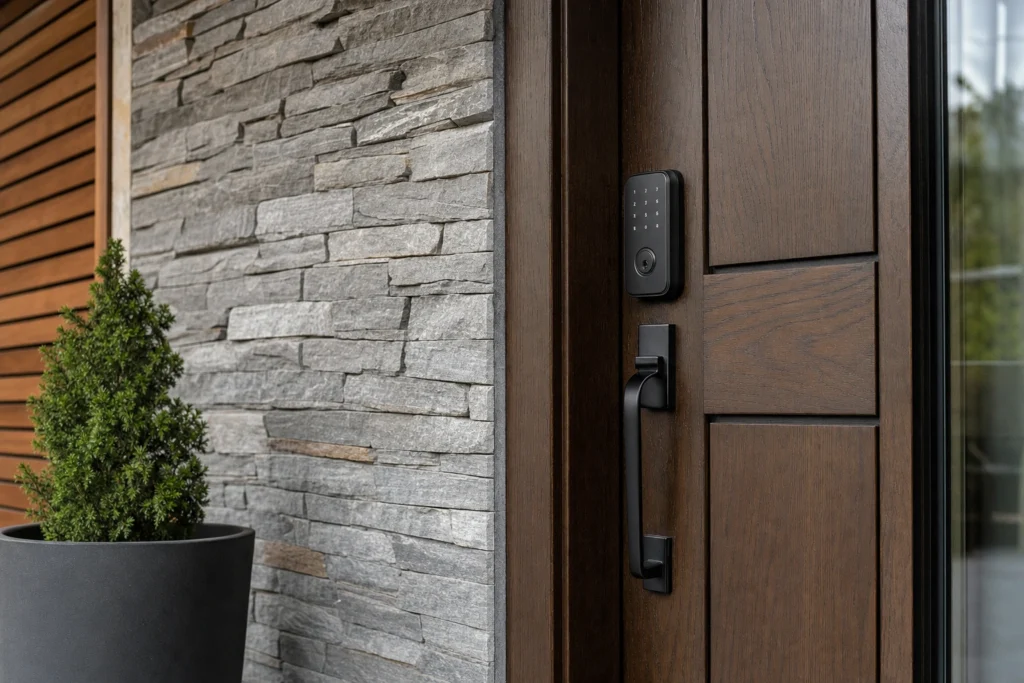
A smart lock that fits the door, aligns cleanly, and pairs reliably will feel invisible in daily use. The fastest way to reach that point in 2026 is to pick one of two clear paths and commit: install it yourself, or hire a professional. Here is a detailed breakdown of smart locks and installation services that compares both routes so you can choose with confidence.
The Two Real Paths in 2026: DIY vs Professional Install
DIY gives you control over timing and model choice. You can order a lock tonight and start swapping hardware this weekend. If your door is standard, your Wi‑Fi is stable, and you are comfortable following app prompts, DIY can be a smooth project.
Professional installation trades a bit of scheduling lead time for precision and accountability. A pro evaluates door condition, hinge sag, strike reinforcement, and network placement before the first screw turns. That single visit can prevent the slow-bolt drag that drains batteries, the misaligned latch that makes the app seem flaky, and the missed code setting that locks out guests at midnight.
For homeowners, the decision usually centers on door fit and how access will be shared with family, sitters, or short‑term guests. For businesses, the stakes expand to code compliance, audit trails, shift change logistics, and the impact of a stuck door at opening time.
What DIY Gets You, and Where It Breaks
Most modern smart deadbolts and retrofit turners ship with clear templates and step‑by‑step pairing. On a well‑hung door, you can replace the thumbturn, mount the exterior keypad or reader, and be adding codes within the hour. You also learn the system’s menus firsthand, which makes later tweaks easier.
When hardware and structure do not match the box. Doors with nonstandard thickness, older mortise hardware, narrow stiles, or a tired strike pocket make the install less straightforward. A bolt that rubs, even a little, forces the motor to work harder, shortens battery life, and can trigger lock error modes. Network setup is another common snag. A router tucked at the far end of the house, metal doors, or power‑saving phone settings can make Bluetooth, Wi‑Fi, or Thread behave unpredictably.
Businesses see additional pitfalls with DIY. Exterior lever sets tied to panic hardware, fire‑rated doors, and storefront glass with concealed locks all change what “compatible” means. Self‑install can also miss access policies. That includes who holds admin rights, how often codes rotate, and how to handle ex‑employees, vendors, or cleaners without handing around a master PIN.
If you are leaning DIY for a home, review our Residential Locksmith page to see where a quick consult can help you avoid the common alignment and pairing traps.
What a Professional Brings to the Door
A professional starts by checking the door and frame, not just the new box. Expect measurements for existing bores, latch throw, backset position, hinge wear, and strike strength. If the door needs a minor plane, hinge shim, or longer strike screws to seat the bolt cleanly, that gets handled first so the smart lock’s motor is not compensating for a crooked fit.
For homes, that often means a cleaner look, a quieter bolt, and fewer low‑battery surprises. For businesses, a contractor should also validate that the selected hardware does not interfere with required egress, that lever sets meet ADA grasping rules where applicable, and that scheduled access aligns with actual staffing patterns. On multi‑door rollouts, templating the first opening, then repeating exact prep across the rest, keeps performance consistent and simplifies training.
If your facility manages openings across offices, stock rooms, or public entries, review our Commercial Locksmith page for considerations unique to multi‑user and compliance‑sensitive spaces.
Cost and Time Tradeoffs You Can Actually Plan For
The sticker price of a lock is only the starting point. With DIY, plan for extra time to troubleshoot app permissions, network placement, calibration, and any door prep the template assumes is already perfect. That can still be a good trade if you enjoy the work and your doors are in good shape.
Professional installation consolidates those unknowns into one visit. The upfront fee often replaces several rounds of trial adjustments and follow‑up parts runs. It also reduces the risk of cosmetic damage to a finished door or frame, which is costly and time‑consuming to fix later.
A Quick Decision Checklist
Use this short list to choose your path for smart locks installation.
- Door condition: solid close, no rub, and clean latch alignment favor DIY. Sticky or misaligned doors favor a pro.
- Hardware type: standard deadbolt bores suit DIY. Mortise or storefront hardware calls for professional work.
- Access model: a single family with a few codes is DIY‑friendly. Staff shifts, vendors, or audit needs point to a professional plan.
- Network reality: strong, nearby signal suits DIY. Long distances, metal doors, or complex Wi‑Fi suggest expert placement advice.
- Safety and code: any door tied to egress, panic hardware, or ADA requirements should be reviewed by a professional.
- Support tolerance: if you want one accountable party for fit and setup, schedule an installation service.
Home vs Business: Installation Details That Matter
At home, the smartest choice is the one that fits daily habits. If you often carry groceries, a model with auto‑lock and a reliable proximity method keeps hands free, but only if the bolt glides smoothly and the door seals without force. Retrofitting an interior turner can preserve exterior hardware you like, while a full deadbolt replacement cleans up worn trim and gives you a keypad.
On commercial doors, the conversation starts with how the opening must function under load. Pairing a smart cylinder with a closer that slams or a strike that bounces will frustrate staff and shorten hardware life. Think through code tiers, code rotation schedules, and who owns admin rights before installation. If any door connects to an alarm, intercom, or access control panel, coordinate the plan so your smart upgrade does not orphan existing systems.
Ready to translate this comparison into the right choice for your property in 2026? Start a quick conversation through Contact Us and get clear next steps for your specific doors.